# How to install Leap Browser Extension

{% hint style="warning" %}
The documentation is designed for Liker Land and LikeCoin v2. For information on [3ook.com](https://3ook.com/) and LikeCoin v3, please visit [docs.3ook.com](https://docs.3ook.com) and [dao.like.co](https://dao.like.co/).
{% endhint %}

## Step 1: Install Leap

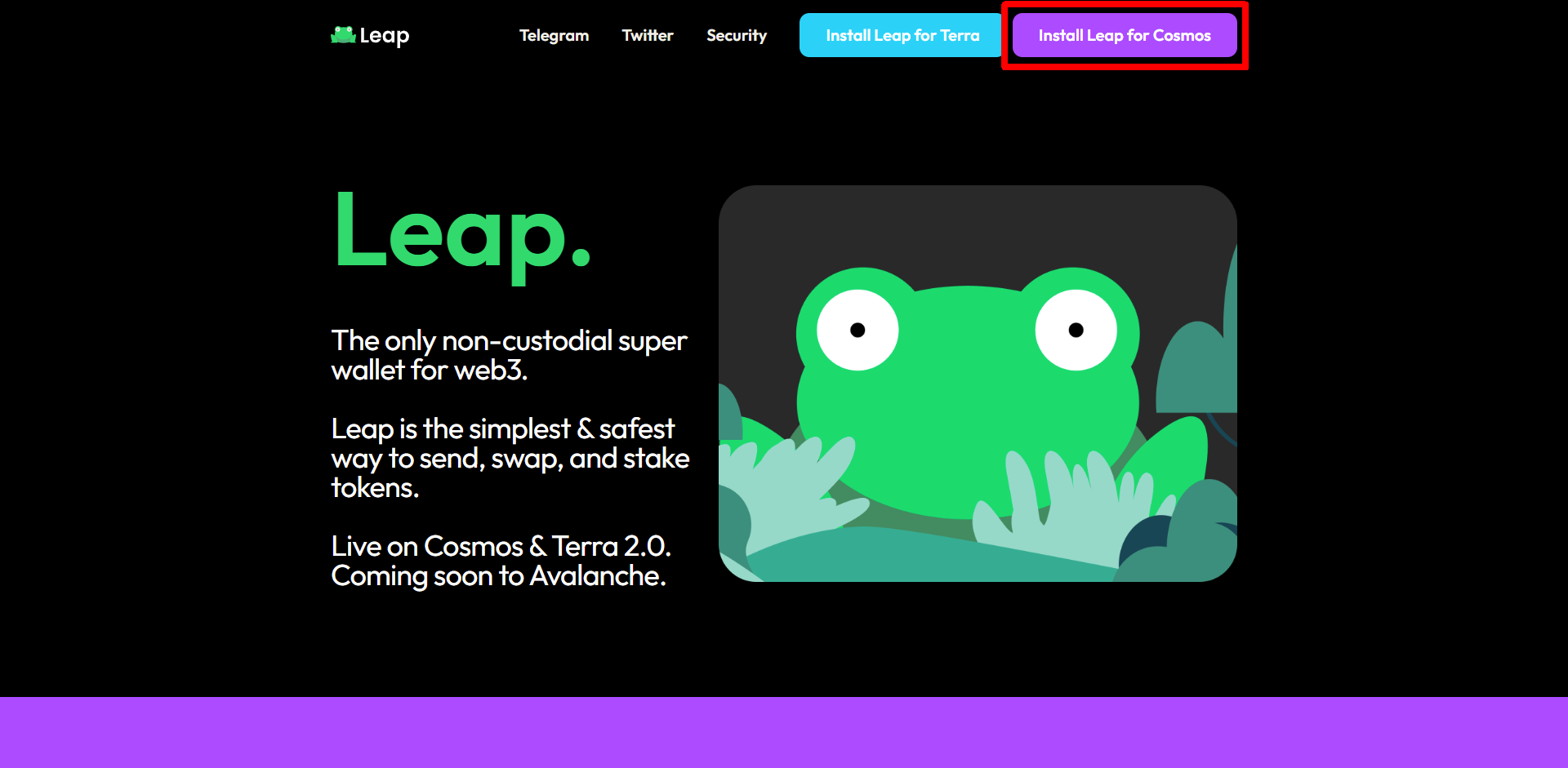
Go to the [Leap website](https://www.leapwallet.io/) to learn about browser extensions and click "Install Leap for Cosmos".

<figure><img src="/files/XOhYOCNtwQxkmCRaQmxd" alt=""><figcaption><p>Click "Install Leap for Cosmos</p></figcaption></figure>

Go to the Chrome Web Store and click "Add to Chrome" to install the [Leap Browser Extension](https://chrome.google.com/webstore/detail/leap-cosmos-wallet/fcfcfllfndlomdhbehjjcoimbgofdncg).

<figure><img src="/files/W25GxS0ovM2HXqkQdcyw" alt=""><figcaption><p>On Chrome Web Store, click "Add to Chrome" to install Leap</p></figcaption></figure>

Click "Add extension".

<figure><img src="/files/jZpINNegniFohZO0MaIp" alt=""><figcaption><p>Click "Add extension" to add Leap to Chrome</p></figcaption></figure>

## Step 2: Create new account

After the installation, the browser will automatically jump to the registration page, click "Create new wallet".

<figure><img src="/files/IlZDvv4ozIjCyIw4lTre" alt=""><figcaption><p>Click "Create new wallet"</p></figcaption></figure>

The screen shows your Secret Recovery Phrase. Find a secure place to encrypt and store the seed phrase as it is needed for account recovery. You can write it with pen and paper or use the Copy function to copy and paste it. Click "I have save it somewhere safe.".

<figure><img src="/files/uJytL7zosurkYRQP2Z1v" alt=""><figcaption><p>Write down the Secret Recovery Phrase and click "I have save it somewhere safe."</p></figcaption></figure>

Enter your password twice, then click "Proceed".

<figure><img src="/files/dQx12u6s6qcX26gY7Weg" alt=""><figcaption><p>Enter your password twice, then click "Proceed"</p></figcaption></figure>

Your Leap wallet is ready! appears, you can pin your Leap Wallet to the browser menu for easy access.

<figure><img src="/files/HDQSA8JkbNlol6iiLnz2" alt=""><figcaption><p>Your Leao wallet is ready! </p></figcaption></figure>

<figure><img src="/files/qpJNzkvvnFcrqGw321li" alt=""><figcaption><p>Pin Leap in browser</p></figcaption></figure>

#### For import existing wallet please refer to:

{% content-ref url="/pages/PGdK04DdBPoFCiRACRZr" %}
[Import wallet into Leap](/general-guides/wallet/leap/mport-wallet-into-leap.md)
{% endcontent-ref %}

{% hint style="danger" %}
Please keep your Secret Recovery Phrase and password safe. If you lose them you are not able to manage your LikeCoin. No one can reset your wallet on your behalf.
{% endhint %}


---

# Agent Instructions: Querying This Documentation

If you need additional information that is not directly available in this page, you can query the documentation dynamically by asking a question.

Perform an HTTP GET request on the current page URL with the `ask` query parameter:

```
GET https://docs.v2.like.co/general-guides/wallet/leap/how-to-install-leap-extension.md?ask=<question>
```

The question should be specific, self-contained, and written in natural language.
The response will contain a direct answer to the question and relevant excerpts and sources from the documentation.

Use this mechanism when the answer is not explicitly present in the current page, you need clarification or additional context, or you want to retrieve related documentation sections.
