> For the complete documentation index, see [llms.txt](https://docs.v2.like.co/llms.txt). Markdown versions of documentation pages are available by appending `.md` to page URLs; this page is available as [Markdown](https://docs.v2.like.co/zh/depub/book-store.md).
# 管理電子書
管理已出版的電子書
{% hint style="warning" %}
此文檔只適用於 Liker Land 和 LikeCoin v2。如需了解 [3ook.com](http://3ook.com/) 和 LikeCoin v3,請至 [docs.3ook.com](http://docs.3ook.com/) 及 [dao.like.co](https://dao.like.co/)。
{% endhint %}
書籍出版後想了解銷售概況或進行更多設定,可使用 Manage Book 功能。除了上架電子書的設定,更提供各種額外管理功能。
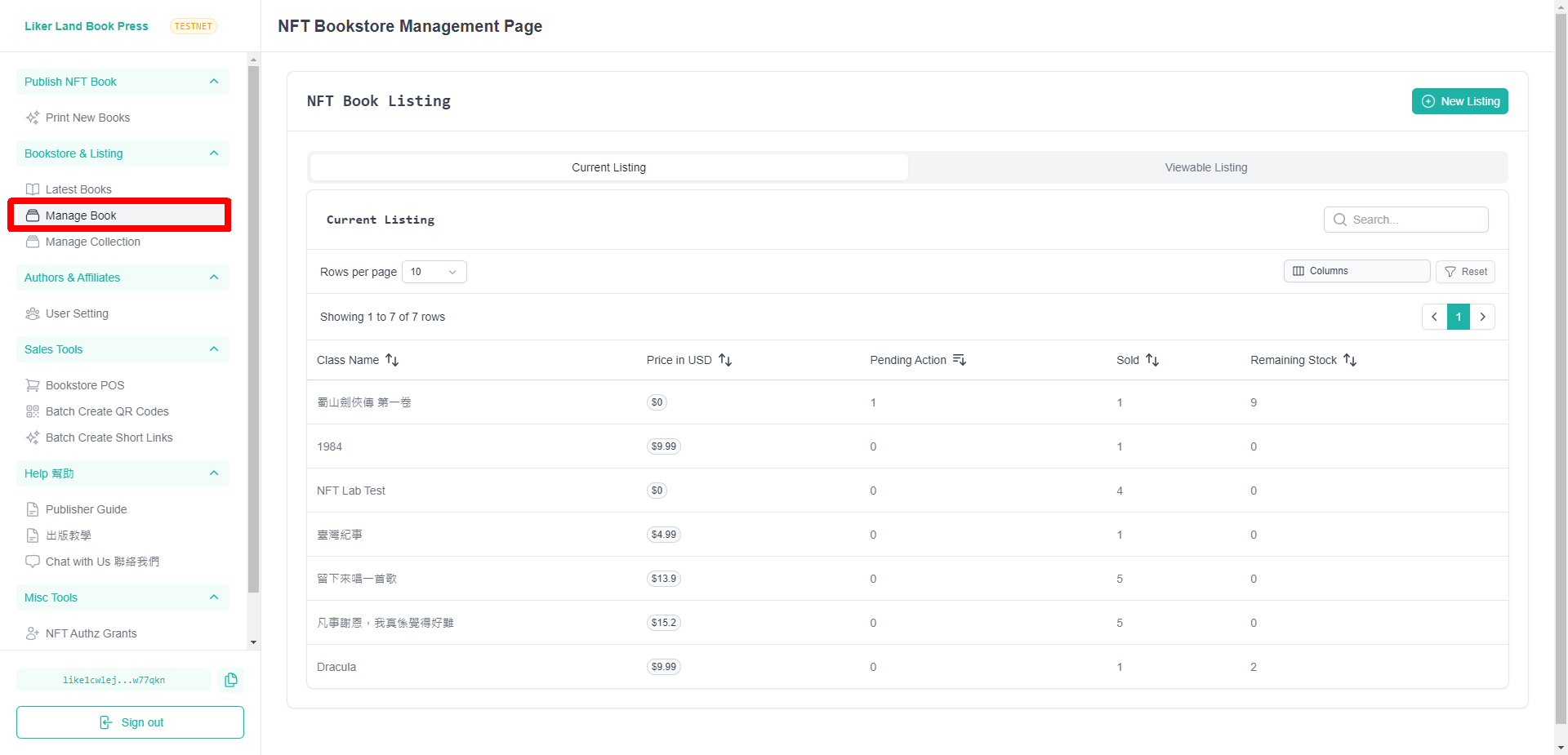
到 [Liker Land Book Press](https://publish.liker.land/) 網站,進入網站後點左下角「**Sign in**」連結結錢包,再點「[Manage Book](https://publish.liker.land/nft-book-store)」,
### NFT Book Listing
Current Listing 顯示現時已上架的電子書,Viewable Listing 是指你能管理的電子書。點選其中一本並進行管理。
Current Listing
### NFT Book Status
NFT Book Status \[書名] 顯示正在管理的電子書。
### Status
Pending Action 顯示有多少項目尚待處理、Sold 售賣數據及 Stocks 現存貨量。
Status
### Orders
顯示有多少宗訂單及它們的狀態,包括 Order Date 訂單日期、Status(Pending NFT 代表等待作者簽署及發送電子書,Complted 表示交易已完成)、Sales Channel 銷售渠道、Price 價格、Price Name 該價格的名稱、Quantity 數量、Coupon Applied 有沒有使用優惠券、Buyer Email 購書者的電郵、Reader Email 讀者的電郵、Reader Wallet 讀者的錢包地址、Reader Message 讀者給作者的留言。
Orders
### Editions
詳見 [出版電子書 -> Product Information](/zh/depub/book-press.md#product-information)。
### Connect to a Stripe Account
詳見 [用戶設定](/zh/depub/user.md)。
### Email to receive sales notifications
詳見 [出版電子書 -> Email to receive sales notifications](/zh/depub/book-press.md#email-to-receive-sales-notification)。
### Sales Channel Summary
查看來自各種不同銷售渠道的總結,包括Channel ID 銷售渠道名稱、Count 數量及 Total USD 美金總數。
Sales Channel Summary
點 Advance Settings 可額外設定以下內容:
### Shipping Options
詳見 [出版電子書 -> Shipping Options](/zh/depub/book-press.md#shipping-options)。
### Share sales data to wallets
詳見 [出版電子書 -> Share sales data to wallets](/zh/depub/book-press.md#share-sales-data-to-wallets)。
### DRM Options
詳見 [出版電子書 -> DRM Options](/zh/depub/book-press.md#drm-options)。
### Copy Purchase Link
設定購買連結。系統預設使用 Liker Land 的購買連結。
* Price - 選擇哪一個版本的電子書
* Sales channel for the link(s) - 輸入名稱,為你的銷售渠道設定專屬購買連結以便跟進
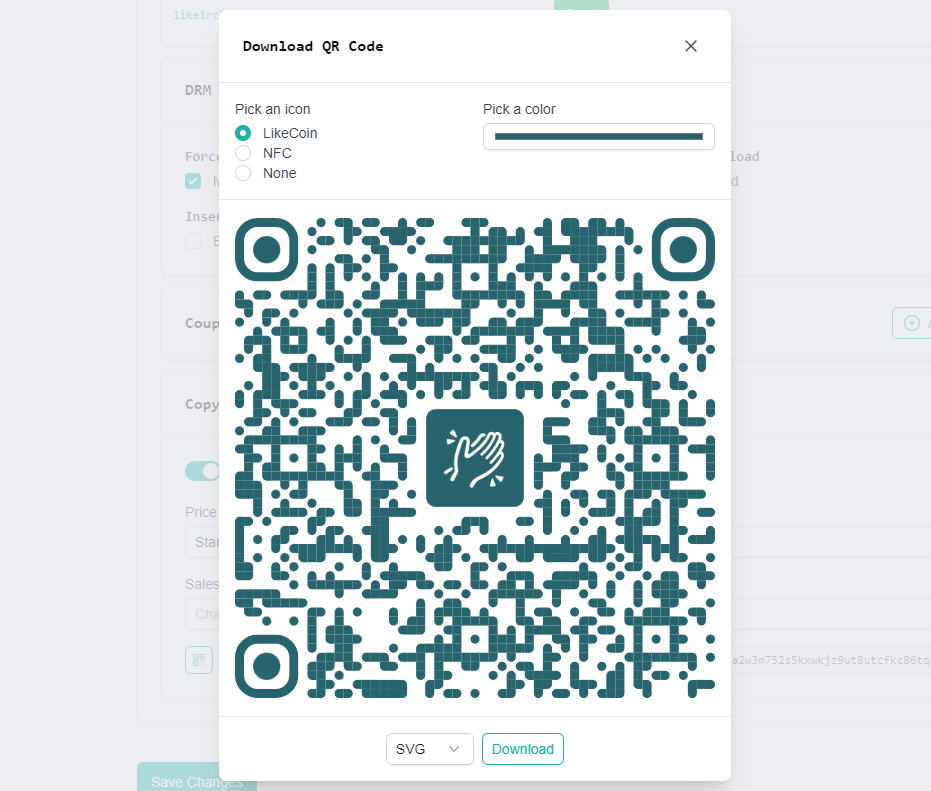
1. 點 QR Code 圖示連結到 Download QR Code 頁面下載 QR Code
2. 點複製圖示製銷售渠道專屬連結
3. 點傳送圖示直接到導覽器查看該連結
Copy Purchase Link
Download QR Code
---
# Agent Instructions
This documentation is published with GitBook. GitBook is the documentation platform designed so that both humans and AI agents can read, navigate, and reason over technical content effectively. Learn more at gitbook.com.
## Querying This Documentation
If you need additional information that is not directly available in this page, you can query the documentation dynamically by asking a question.
Perform an HTTP GET request on the current page URL with the `ask` query parameter, and the optional `goal` query parameter:
```
GET https://docs.v2.like.co/zh/depub/book-store.md?ask=&goal=
```
`ask` is the immediate question: it should be specific, self-contained, and written in natural language.
`goal` is optional and describes the broader end goal you are ultimately trying to accomplish on behalf of the user. GitBook uses it to tailor the answer towards what is most useful for that goal.
The response will contain a direct answer to the question and relevant excerpts and sources from the documentation.
Use this mechanism when the answer is not explicitly present in the current page, you need clarification or additional context, or you want to retrieve related documentation sections.