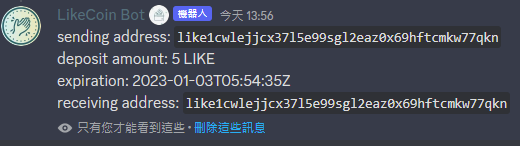
# LikeCoin Discord 錢包

{% hint style="warning" %}
此文檔只適用於 Liker Land 和 LikeCoin v2。如需了解 [3ook.com](http://3ook.com/) 和 LikeCoin v3，請至 [docs.3ook.com](http://docs.3ook.com/) 及 [dao.like.co](https://dao.like.co/)。
{% endhint %}

在 [LikeCoin Discord](https://discord.com/invite/likecoin) 可以傳送及接收 [LikeCoin](https://like.co/)，用戶需要先設定存入款項及設定收款的錢包。

## 在 Discord 設定收款錢包

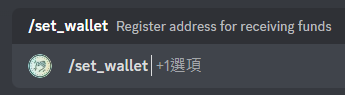
1\. 在 LikeCoin Discord 任一頻道輸入 /set\_wallet。

<figure><img src="/files/0T5nObRC5NHtNeSYvLJX" alt=""><figcaption><p>輸入 /set_wallet</p></figcaption></figure>

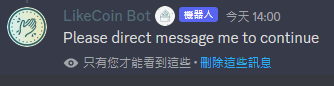
2\. 出現「Please direct message me to continue」。

<figure><img src="/files/b7riPysAGN2N6v1oNBmg" alt=""><figcaption><p>出現「Please direct message me to continue」</p></figcaption></figure>

3\. 並接收到私訊，點「Open」。

<figure><img src="/files/uQomJGLjZbQDmsjzoRsa" alt=""><figcaption><p>接收私訊後點「Open」</p></figcaption></figure>

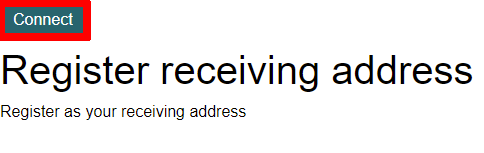
4\. 被引導到登記頁面，點「Connect」。

<figure><img src="/files/mla1H8Y7F16F6kAH7b0y" alt=""><figcaption><p>點「Connect」連接收款錢包</p></figcaption></figure>

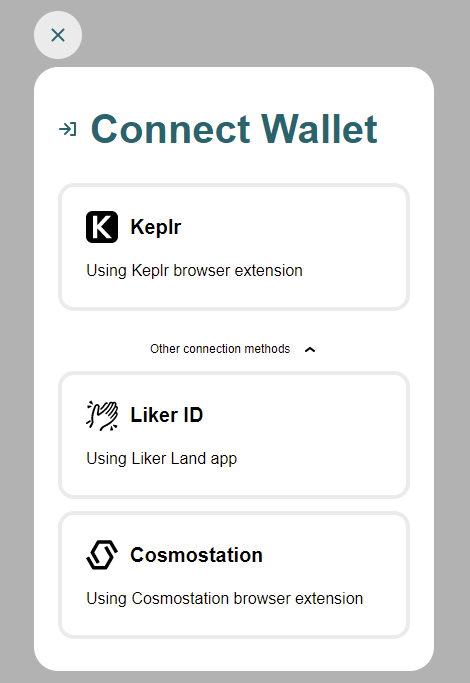
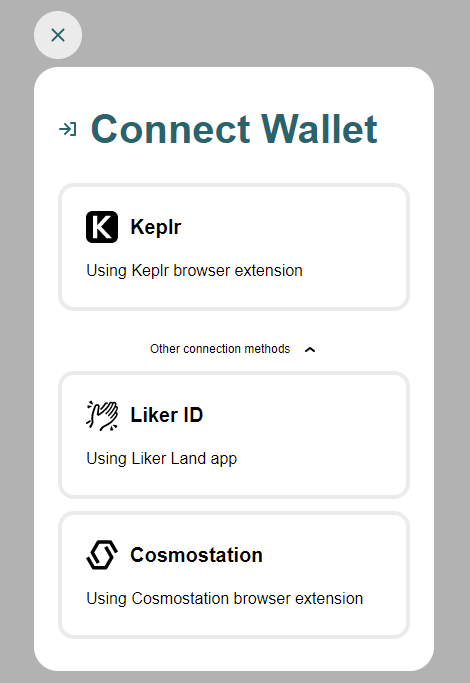
5\. 登入 [Keplr](/zh/general-guides/wallet/keplr.md)、[LikeCoin app](/zh/general-guides/dapp/liker-land/download.md) 或 [Cosmostation](/zh/general-guides/wallet/cosmostation.md) 錢包並進行連結。

<figure><img src="/files/pjXIctqEvG5pnmV29YlQ" alt=""><figcaption><p>登入錢包</p></figcaption></figure>

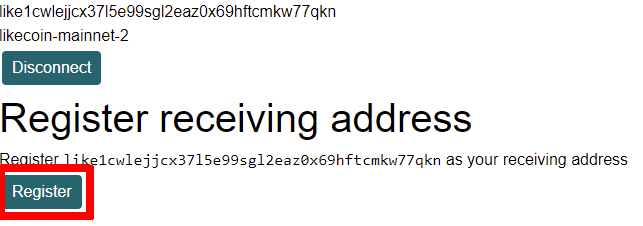
6\. 完成後再點「Register」。

<figure><img src="/files/KHFgnuz9LTyjYqZalmnr" alt=""><figcaption><p>點「Register」</p></figcaption></figure>

7\. 出現「Registered」字樣。

<figure><img src="/files/TOxbnlqv7DeKp6CnjNdA" alt=""><figcaption><p>錢包地址完成設定</p></figcaption></figure>

8\. 並收到私訊說明錢包經已成功登記為收款錢包。

<figure><img src="/files/EbUiLqulP3kjOPaxJjbd" alt=""><figcaption><p>錢包經已成功登記為收款錢包</p></figcaption></figure>

## 在 Discord 存入 LikeCoin

1\. 在 LikeCoin Discord 任一頻道輸入 /deposit。

<figure><img src="/files/iIgvkxMbL6vP2XBxnleG" alt=""><figcaption><p>輸入 /deposit</p></figcaption></figure>

2\. 出現「Please direct message me to continue」。

<figure><img src="/files/kcUiirzjnIGzq77nZRqM" alt=""><figcaption><p>出現「Please direct message me to continue」</p></figcaption></figure>

3\. 並接收到私訊，點「Deposit」。

<figure><img src="/files/0wBzq2iV4sRCPLt1T5Z6" alt=""><figcaption><p>接收私訊後點「Deposit」</p></figcaption></figure>

4\. 登入 [Keplr](/zh/general-guides/wallet/keplr.md)、[LikeCoin app](/zh/general-guides/dapp/liker-land/download.md) 或 [Cosmostation](/zh/general-guides/wallet/cosmostation.md) 錢包並進行連結。

<figure><img src="/files/tBVYavfvP8J9UwO14MmR" alt=""><figcaption><p>登入錢包</p></figcaption></figure>

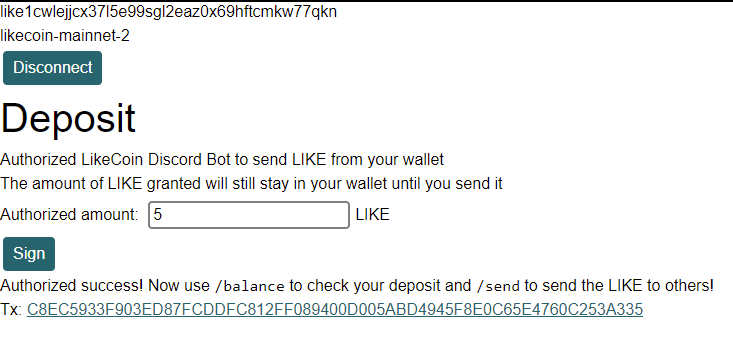
5\. 出現 Deposit 頁面，預設用戶存入 100 LIKE 但數字可以修改。修改完成後點「Sign」。

<figure><img src="/files/ECL93iLmCSVZmcOLuDbc" alt=""><figcaption><p>輸入存入的 LikeCoin 數字</p></figcaption></figure>

6\. 彈出 Keplr、Comostation 視窗，或在 LikeCoin app 彈出允許要求，點擊繼續。

<figure><img src="/files/G5KZiJpcCZltBHYUWdjO" alt=""><figcaption><p>在錢包中確認</p></figcaption></figure>

7\. 出現 Authorized success! 字樣及 Tx 以供查看，

<figure><img src="/files/JWn4kanmcD9u5OVGwLfg" alt=""><figcaption><p>成功存入</p></figcaption></figure>

8\. 並收到私訊說明經已成功存入 LikeCoin。

<figure><img src="/files/FsZNLUd3dkJrH06p3B91" alt=""><figcaption><p>成功存入 LikeCoin</p></figcaption></figure>

## 在 Discord 傳送 LikeCoin

### 到其他錢包地址

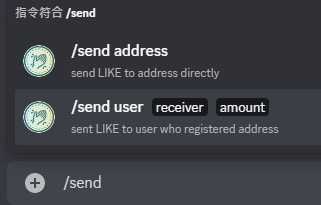
1\. 在 LikeCoin Discord 任一頻道輸入 /send 並選 address。

<figure><img src="/files/J1b8tawR4xNAOdV2IQDT" alt=""><figcaption><p>輸入 /send</p></figcaption></figure>

2\. 輸入接收你的 LikeCoin 的錢包地址 ( address ) 及數量 ( amount )。

<figure><img src="/files/unbrbXheAo5NLsb1n5yp" alt=""><figcaption><p>輸入接收者的錢包地址及接收 LikeCoin 的數量</p></figcaption></figure>

3\. 出現訊息正在傳送 LIKE 中。

<figure><img src="/files/dQzLA6tTptehNQkF8wRu" alt=""><figcaption><p>出現訊息正在傳送 LIKE 中</p></figcaption></figure>

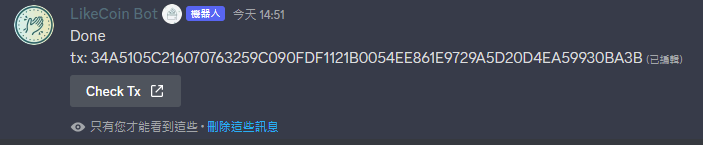
4\. 出現「Done」字樣及「Check Tx」，說明 LikeCoin 經已成功傳送到目標錢包地址。

<figure><img src="/files/DfuB39u52k3EatPBEteM" alt=""><figcaption><p>LikeCoin 經已成功傳送</p></figcaption></figure>

### 給特定 Discord 用戶

1\. LikeCoin Discord 任一頻道輸入 /send 並選 receiver。

<figure><img src="/files/xakC00wKCU4SNfgICsYc" alt=""><figcaption><p>輸入 /send</p></figcaption></figure>

2\.  選擇 Discord 用戶 ( receiver ) 並輸入需要傳送的數量（amount）即可傳送 LikeCoin。

<figure><img src="/files/L4vlrjvHfqM85PJLybfD" alt=""><figcaption><p>選擇 Discord 用戶以傳送 LikeCoin</p></figcaption></figure>

## 查看餘額

1\. 在 LikeCoin Discord 任一頻道輸入 /balance。

<figure><img src="/files/HwHYCjOqscqFWBxvKq9N" alt=""><figcaption><p>輸入 /balance</p></figcaption></figure>

2\. 出現詳盡資訊。

<figure><img src="/files/J75RuvuFiEy2OVRUgWxA" alt=""><figcaption><p>查看詳盡資訊</p></figcaption></figure>


---

# Agent Instructions: Querying This Documentation

If you need additional information that is not directly available in this page, you can query the documentation dynamically by asking a question.

Perform an HTTP GET request on the current page URL with the `ask` query parameter:

```
GET https://docs.v2.like.co/zh/general-guides/community/discord-wallet.md?ask=<question>
```

The question should be specific, self-contained, and written in natural language.
The response will contain a direct answer to the question and relevant excerpts and sources from the documentation.

Use this mechanism when the answer is not explicitly present in the current page, you need clarification or additional context, or you want to retrieve related documentation sections.