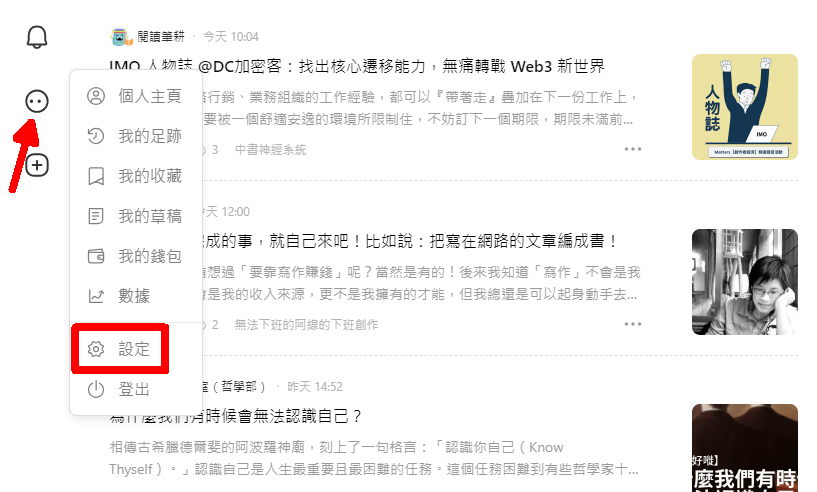
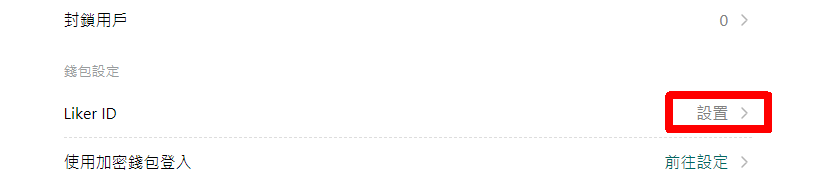
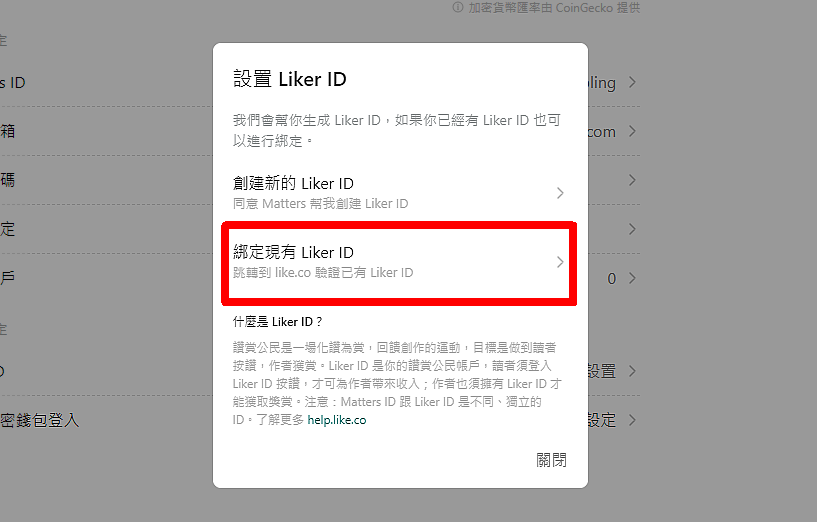
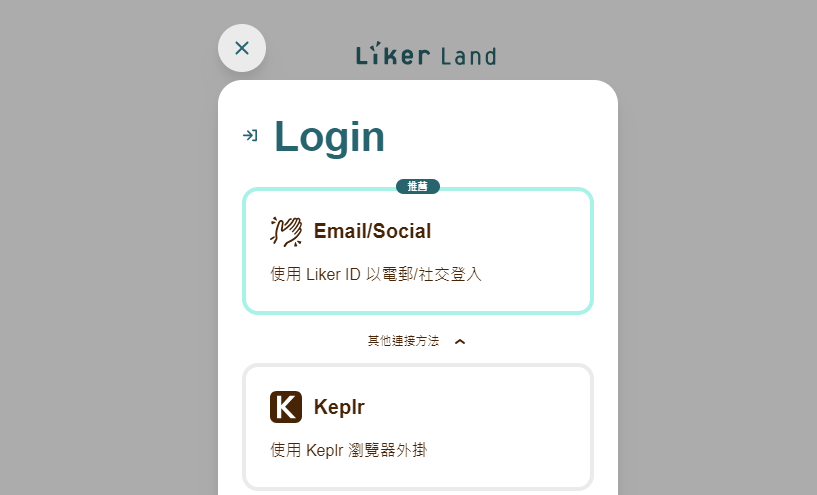
#### Matters 專屬的讚賞鍵,就緒。
Matters 的讚賞鍵很簡潔,位於文章的最底部,見下圖。

送出 [Super Like](/zh/general-guides/dapp/liker-land/superlike.md) 的狀態如圖。

#### 參考文章
> [玩轉 Matters 實用指南](https://matters.news/guide)
## 「一鍵搬家」功能
Matters 於 2020年3月推出[一鍵搬家](https://matters.news/migration)功能,所有擁有 Medium 帳號的作者,都可以透過這個便捷的功能,快速一鍵搬家,把文章搬到 Matters ,化讚為賞。
#### 參考文章
> [一鍵從 Medium 搬家到 Matters
> ](https://matters.news/@mingnhsu/%E4%B8%80%E9%8D%B5%E5%BE%9E-medium-%E6%90%AC%E5%AE%B6%E5%88%B0-matters-bafyreiggcgm7kn2el26rxsydny6obyklqlfo6rd3dphkc27olio4eqiyxi)
> [Medium「一鍵搬家」功能試用手記](https://matters.news/@fkh01/medium-%E4%B8%80%E9%8D%B5%E6%90%AC%E5%AE%B6-%E5%8A%9F%E8%83%BD%E8%A9%A6%E7%94%A8%E6%89%8B%E8%A8%98-bafyreigbozowkdvkn7hujosrwsgonjdyzhtohiunlkhsakmgxk2gr3og3a)
> [一樣菜 百樣賣:Medium一鍵搬家到Matters的試用心得](https://matters.news/@islander/%E4%B8%80%E6%A8%A3%E8%8F%9C-%E7%99%BE%E6%A8%A3%E8%B3%A3-medium%E4%B8%80%E9%8D%B5%E6%90%AC%E5%AE%B6%E5%88%B0matters%E7%9A%84%E8%A9%A6%E7%94%A8%E5%BF%83%E5%BE%97-bafyreicoek6ybzguk3vwwtajuwt2dmxf5367qsahpgpstyp3sryu6wtfle)[
> ](https://matters.news/@islander/%E4%B8%80%E6%A8%A3%E8%8F%9C-%E7%99%BE%E6%A8%A3%E8%B3%A3-medium%E4%B8%80%E9%8D%B5%E6%90%AC%E5%AE%B6%E5%88%B0matters%E7%9A%84%E8%A9%A6%E7%94%A8%E5%BF%83%E5%BE%97-bafyreicoek6ybzguk3vwwtajuwt2dmxf5367qsahpgpstyp3sryu6wtfle)
## Matters 客服
用戶可循以下渠道尋找 Matters 協助:
* [Matters Discord](https://discord.com/invite/matterslab)
* [Matters 電郵](mailto:hi@matters.news)
* 在 Matters 網站文章或留言 tag [Matty](https://matters.news/@hi176)
## 出版 Writing NFT
詳見:
{% content-ref url="/pages/CYTdlkVunhpeXOyAHFND" %}
[出版 Writing NFT](/zh/depub/nft-portal.md)
{% endcontent-ref %}
---
# Agent Instructions
This documentation is published with GitBook. GitBook is the documentation platform designed so that both humans and AI agents can read, navigate, and reason over technical content effectively. Learn more at gitbook.com.
## Querying This Documentation
If you need additional information that is not directly available in this page, you can query the documentation dynamically by asking a question.
Perform an HTTP GET request on the current page URL with the `ask` query parameter, and the optional `goal` query parameter:
```
GET https://docs.v2.like.co/zh/general-guides/dapp/creator/matters.md?ask=&goal=
```
`ask` is the immediate question: it should be specific, self-contained, and written in natural language.
`goal` is optional and describes the broader end goal you are ultimately trying to accomplish on behalf of the user. GitBook uses it to tailor the answer towards what is most useful for that goal.
The response will contain a direct answer to the question and relevant excerpts and sources from the documentation.
Use this mechanism when the answer is not explicitly present in the current page, you need clarification or additional context, or you want to retrieve related documentation sections.